Loading your next rally…
 Just VolleyballPlay on Steam
Loading your next rally…
You create your own volleyball player in the Locker. Your active profile keeps their appearance, title, and progress. Build a recognizable look, choose your uniform, and follow your progress from your first match onward.

Start with your player, then build a look around them.
Adjust face features, body proportions, hair and uniform colors in the web Locker.
Open character creator →Browse community looks, open their details, and copy an appearance code to import.
Browse skins and codes →Try headwear, face accessories and extras. Check chip prices and title unlock requirements.
Explore the Shop →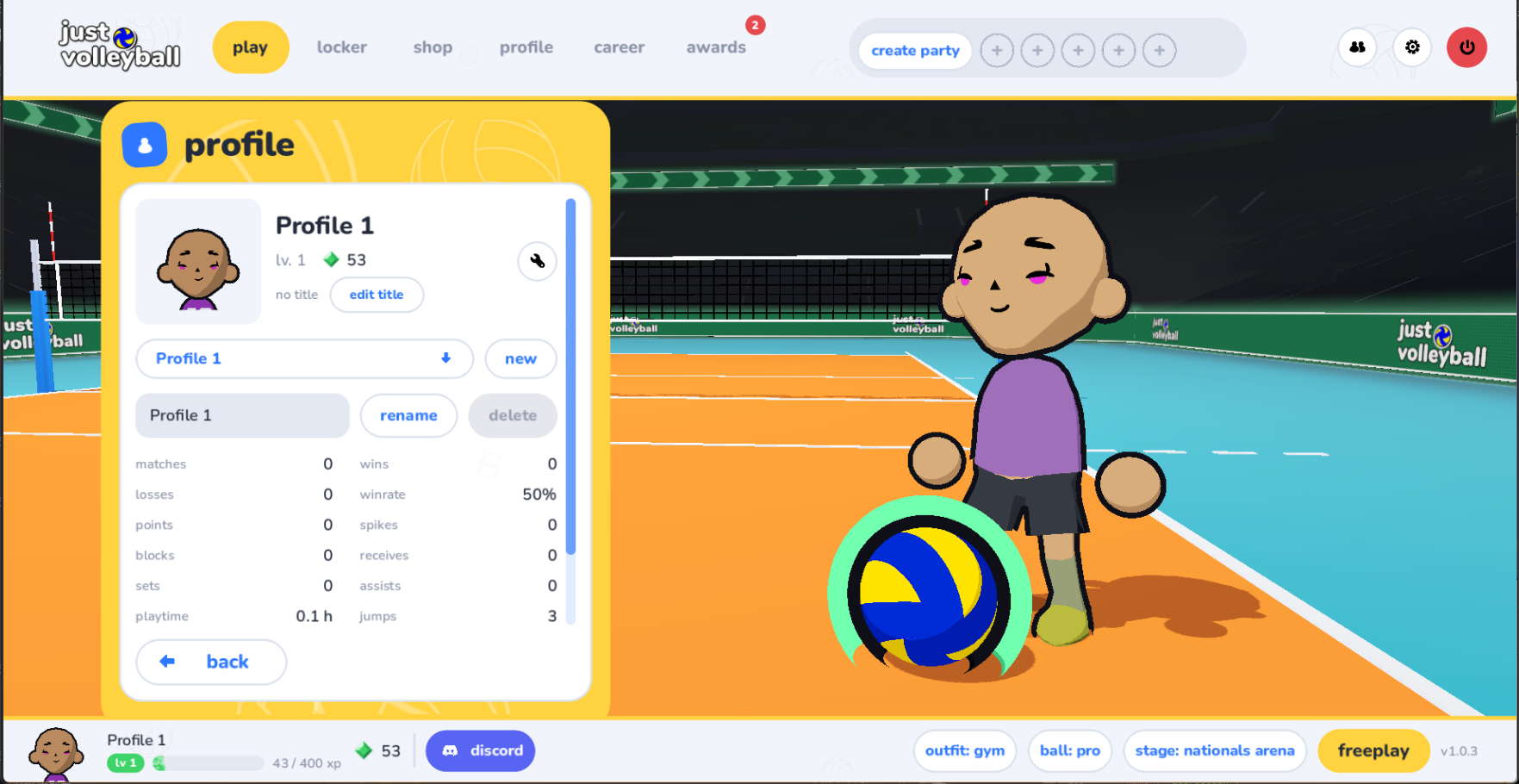
Open Profile from the main menu. Choose New to create a profile, use the dropdown to switch, or edit the name and choose Rename. Check the portrait and name in the main menu before playing if you share the game with another player.
The profile shows your level, chips, and equipped title. Scroll the stats panel for totals such as wins, losses, points, spikes, blocks, receives, sets, assists, jumps, and playtime. To review a particular match, open Career.

Open Career → Recent for your match history and overall wins, losses, and win rate. Sort by newest or oldest first. Version 1.0.3 keeps up to 50 recent entries per profile.
Open a match card to see its score and player stats. Choose Favorite to keep it under Favorites. Select Watch Replay when a replay file is available.
Check the XP bar beside your portrait on the main menu. Eligible matches give experience and chips. The v1.0.3 progression rules award extra XP for a win and extra chips for a win or MVP.
| Source | XP | Chips |
|---|---|---|
| Rally played | 3 | 3 |
| Set played | 5 | 5 |
| Match win bonus | 15 | 10 |
| MVP bonus | — | 15 |
| Level up | 400 XP required per level | 150 |
| Claim a chip award | 80% of its chip value, rounded | Amount shown on the award |
These are the base payouts. The match chip payout has a 75-chip minimum when at least 14 eligible rallies are recorded.
Open Profile → Edit Title to select an unlocked title. Choose a purchased or achievement-unlocked title for your player.
Open Shop from the main menu. The Head, Face, and Extras shelves sell accessories for your player. Titles lists chip purchases and achievement unlocks, with a separate Effects shelf for styling your title.
Caps, helmets, hats and headwear
1,000 chips per paid accessory · v1.0.3Glasses, masks and face accessories
1,000 chips per paid accessory · v1.0.3Capes, scarves and finishing touches
1,000 chips per paid accessory · v1.0.3Titles have individual prices or achievement requirements. Title effects style the nameplate. Preview an accessory in the Shop, then continue into the Locker with the selected item.
Browse Shop items and prices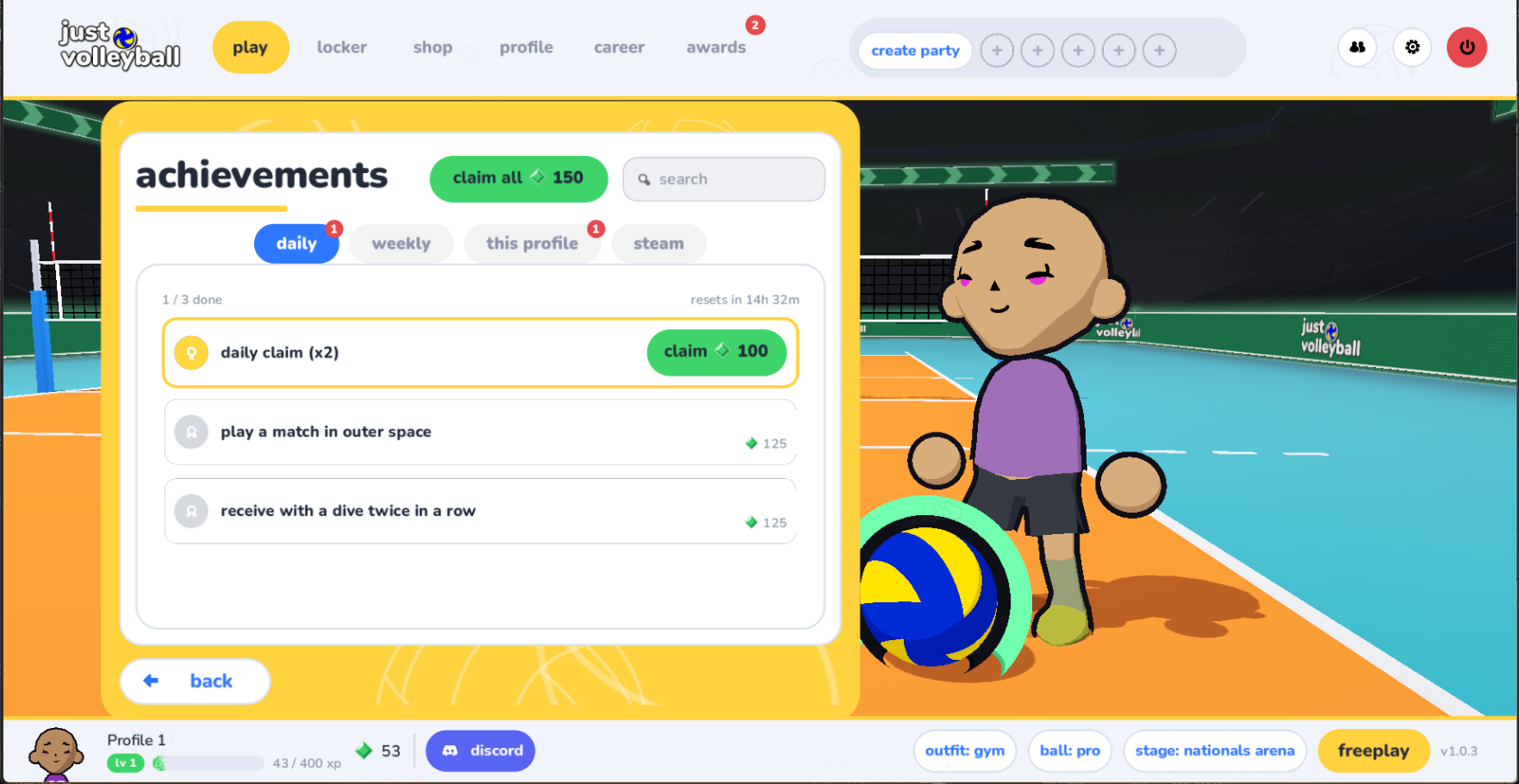
Start with face, body, hair, and voice. The body panel also offers head shape, ears, and preferred hand. Add accessories and set up your Captain Uniform and Gym Outfit independently.
Switch the preview between outfits to check colors, shorts, socks, and kneepads. Use Save and Exit to apply the look to your active player. The full game also includes a Photo Studio within the Locker.
Open the web Locker


