
Encore Demo dates are historical · Check Steam for current access
Just Volleyball demo availability
The Encore Demo was a limited Steam event announced in November 2026. The developer expected it to remain available until November 15 at 12:00 PM EST, ahead of the November 16 full release.
That event window has passed. Look for a current demo download on the official Steam listing before planning a session. An archived guide, an old library entry or a cached download button cannot confirm that new accounts can install and play today.
Why the Encore Demo reopened
The developer reopened the demo while the full game was going through its release review. The ENCORE DEMO announcement described a limited opportunity to play and gather feedback during that wait.
The suggested end time was November 15 at 17:00 UTC, or November 16 at 01:00 in Beijing. The announcement qualified that timing as an expectation. It should be read as event history.
How to check for an official download
Use Steam to inspect the available installation options. If the listing offers only the paid release, arrange your session around that version.
- Visit the Just Volleyball store page published by temkosoft.
- Check for a demo installation option while signed into Steam.
- If one is offered, read its current access notice and install through Steam.
- Check that your friends are using a compatible edition before attempting an online session.
Just Volleyball demo outfit
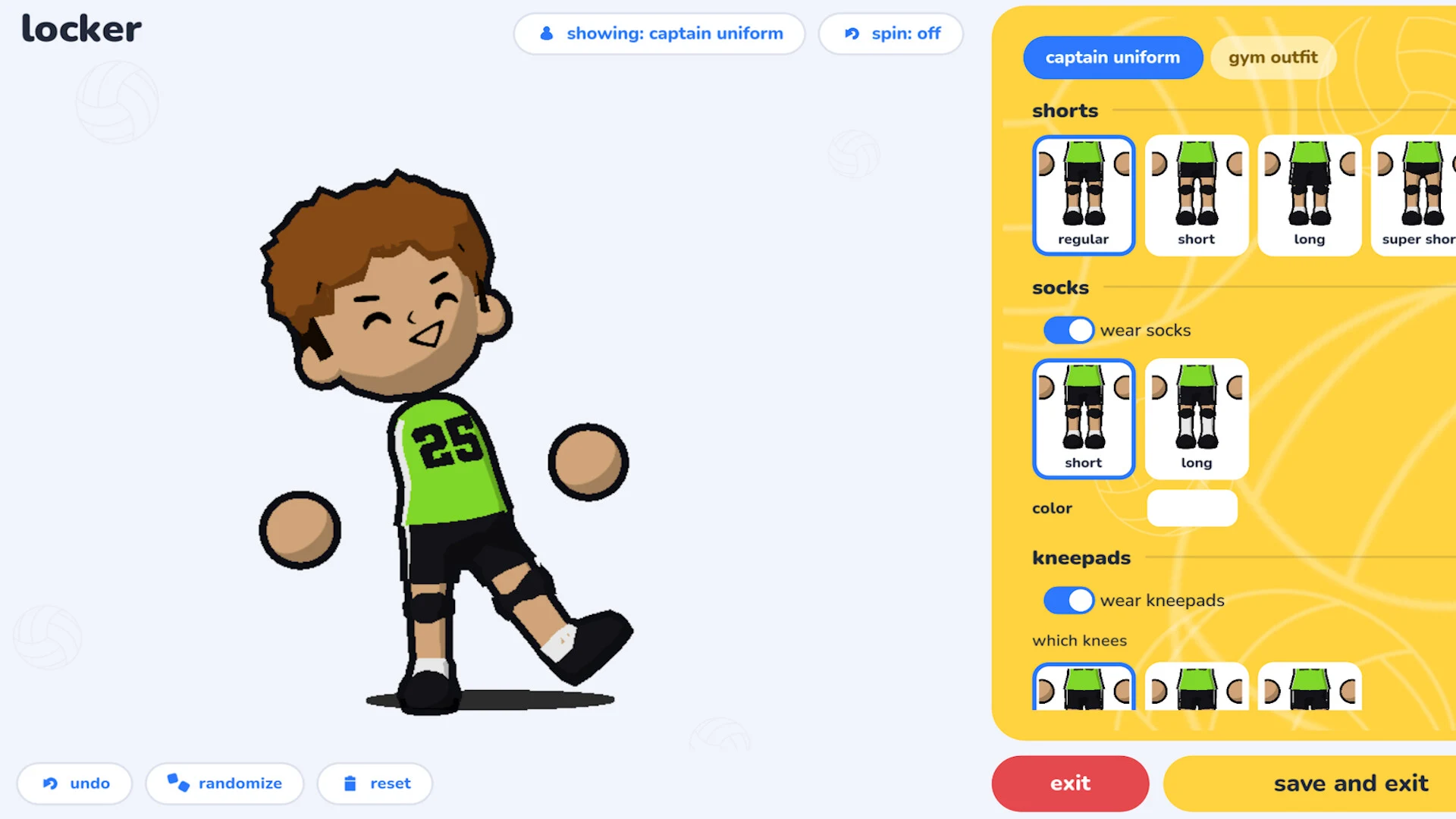
A demo outfit is a customized avatar appearance. In builds with Locker access, its look comes from the selected face, hairstyle, jersey number, uniform colors and available accessories.
An appearance code references those choices. It does not unlock accessories. A full-release item can also be missing from an older demo, causing the imported outfit to look different.
Save an exported appearance code or a player-card picture when the build supports it. Keep a separate copy before editing. Our Locker can help you explore combinations, while the game determines which items your profile owns.
Just Volleyball demo crack
Players searching for a demo crack may be trying to reopen expired access or obtain the paid release. This website provides no cracked installer, modified executable or Steam bypass.
A modified build cannot establish access to official matchmaking, current updates or Steam Cloud. Its version can also differ from the one your friends use. Check for an official demo, use a licensed copy, or consider Steam Remote Play Together for a supported shared local session.
Progress and presets when moving editions
Do not assume levels, chips, titles or owned items transfer automatically because two builds show similar characters. The announcement does not establish a general carryover guarantee.
The full-release announcement adds Steam Cloud saves, Photo Studio, more maps, progression rewards and custom lobby modifiers. After changing editions, verify the active profile and test a saved appearance before joining a match.
What to test during a playable demo window
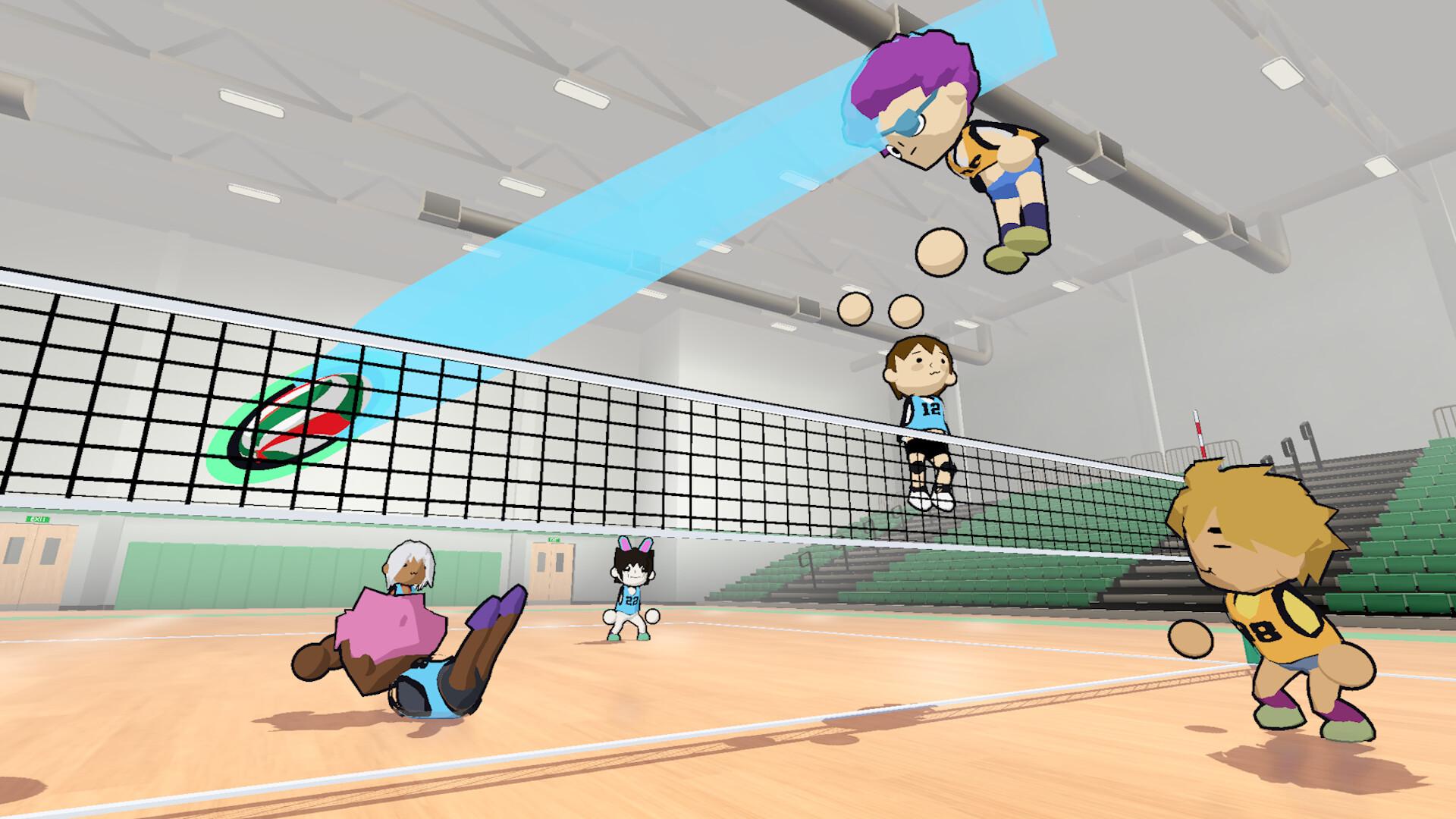
A useful demo session answers whether the movement, aiming and match pace suit you. Start with the tutorial or a local session and learn how your player reaches the ball. Then try the three-contact rally with a friend or bots. Leave enough time to test the camera and your preferred input device.
Look at how the game performs during an active rally, rather than judging only the menu. Try a court view where you can read the floor indicator and see teammates. If you plan to play online, test an actual session with the people you expect to join, because solo practice cannot tell you how that connection feels.
Treat any future demo as its own event. Check the access notice for its dates, features and version. A full-game store feature list does not by itself prove that every feature is included in every demo build.
Demo app, full game and playtest
Steam can keep separate entries for a demo, a playtest and the released game. Check the product name before launching from an old shortcut. Seeing two related installations is not automatically a broken update.
The full game uses app 5037200; the demo entry used app 5401090. Availability belongs to the specific product and account. If a store link redirects to the full game, inspect the options currently offered instead of assuming the old demo remains downloadable.
Avoid deleting a working profile just to resolve an edition mismatch. First confirm which app is running, whether updates are complete and whether the event is open. Preserve exported appearance codes and any other backups before changing save data.
| Entry | What to check |
|---|---|
| Full game | A license, current installed build and platform requirements. |
| Demo | A currently offered download and an active access window. |
| Playtest | Participation and access for that separate testing build. |
| Old installation | Whether that version can still launch and join compatible sessions. |
Rebuild a demo outfit in the Locker
If you have a screenshot but no code, rebuild the visible parts systematically. Begin with skin tone, head shape and face features. Add hair next, then match the jersey number and major uniform colors. Accessories are easier to identify once the base look is close.
Check the selected outfit context as you work. Captain and gym outfits can use different colors and clothing choices. A player pictured in casual clothing will not necessarily match a captain-uniform preview, even when the underlying profile is the same.
When importing a code, inspect the entire character from several angles. A hat can hide hair, a cape may be visible primarily from behind, and the lighting can alter how a color reads. Save the updated code only after checking the combination you intend to use.
- Save a copy of the original appearance code or screenshot.
- Match the face, body and hairstyle.
- Choose the intended outfit and set its number and colors.
- Check accessory requirements and inspect front and rear views.
- Export a new code after checking the finished combination.
When a demo will not launch or connect
First distinguish installation problems from access problems. An event that has ended can prevent play even if local files are present. Reinstalling the same expired build does not establish fresh event access.
If access is currently offered, finish pending downloads and check file integrity through Steam. For a friend session, compare editions and patch versions before changing network settings. When local play works but joining fails, move to the online guide’s visibility and connection checks.
Keep the full-game purchase decision separate from a troubleshooting experiment. Check what Steam offers to your account and region, and read the current description before paying for a different product than the one you meant to install.
Frequently asked questions
Can I install the demo now?
Check the official Steam listing for a current demo option. The November event dates describe past access.
Does a demo outfit code unlock paid items?
No. An imported appearance can require accessories that your profile still needs to own.
Does the demo give me the full game?
Demo access is separate from a full-game license.